继承为用户提供了一个选项,即子节点继承父节点的配置的权利。这意味着,子节点上的角色权利与父节点上的权利相对应。
这样一来,继承顺序就与编辑器中的视图相对应了。这就是,例如,一个PV如何从 "全局变量文件夹"(或从 "任务")或从 "应用模块 "节点或从 "默认视图 "节点继承。取决于首先为哪个元素配置了权利。
此外,OPC UA服务器上的属性作为一个单独的节点,继承了它们所配置的元素的权利。例如,这种方式的属性 "数值范围 "从定义该范围的PV中继承权利。
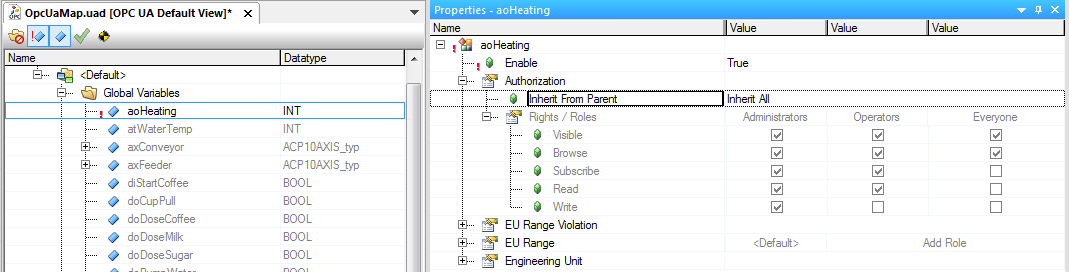
继承是通过属性 "从父亲继承 "确定的。有三种选择的可能性:
参数 |
描述 |
|
Inherit everything |
所有的权利都是继承的。 |
|
Only inherit read |
继承所有的权利,直至写入权限。 |
|
Inherit nothing |
没有权利被继承。 |
|
如果继承被启用(设置为 "继承一切",或只是 "继承阅读"),继承的权利是灰色的,不能被编辑。
如果继承被禁用(设置为 "什么都不继承"),那么可以明确配置权利。
|
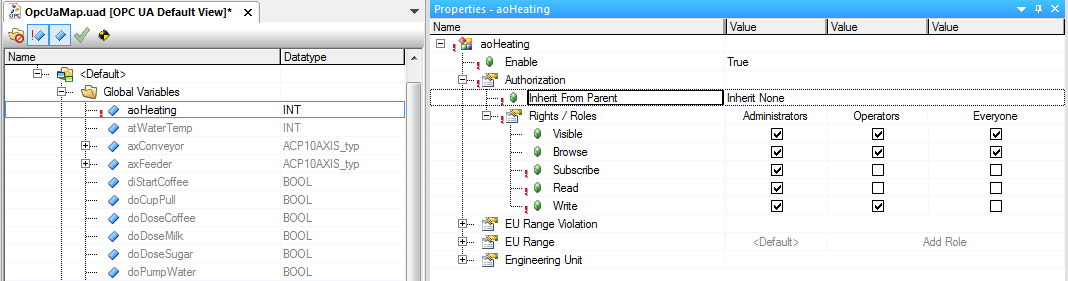
继承权的默认值
对于应用模块、任务和PV,设置 "继承一切 "是属性 "从父亲继承 "的默认值。
例如,如果一个PV被启用,它将从下一个有权利分配的父亲那里继承权利,例如从 "Default View"节点。
|
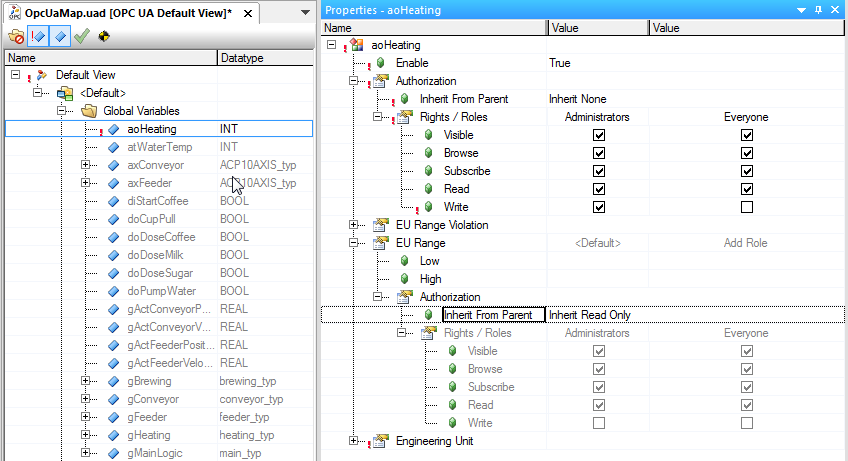
For properties that are on the OPC UA server as their own node, setting "Only inherit read" is the default value for property "Inherit from father". For this reason, a role that has the right to write the value of a PV does not automatically have the right to describe the value of a property, e.g. "the high limit of the value range".
对于在OPC UA服务器上作为自己的节点的属性,设置 "Only inherit read"是属性 "Inherit from father "的默认值。由于这个原因,有权写入PV值的角色并不自动拥有描述属性值的权利,例如 "the high limit of the value range"。
|
旧的AR版本
对于自动化运行时版本<A4.23,授权的继承可以使用 属性 "Access right"的继承机制映射到数组和结构 上。